TTLOCK app is intelligent software from the development team at Hangzhou Sciener Smart Technology Co. for controlling electronic smart locks and other access control equipment. TTLOCK cloud technology is based on the fact that the application communicates with the lock via Bluetooth BLE and allows you to program the smart locks, unlock, lock the lock, update the firmware, upload events from the lock memory...
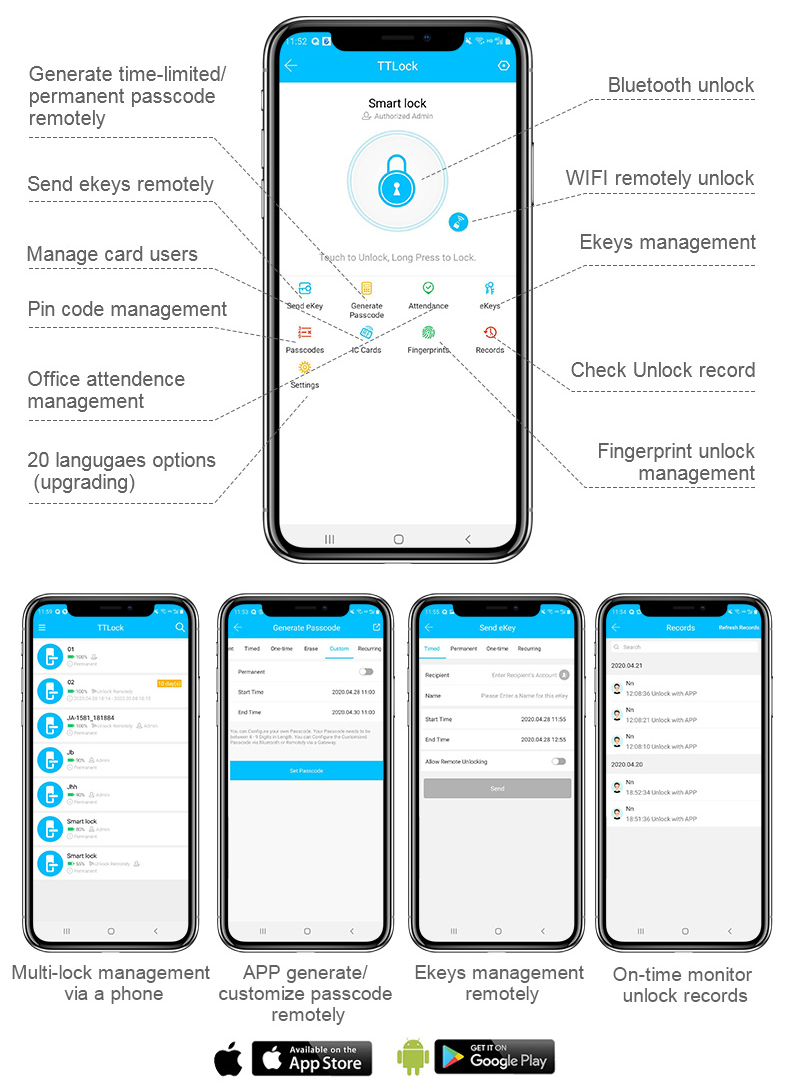
The app is multi-lingual and supports English, French, German, Italian, Portuguese, Spanish, and many other languages that you can choose from in your account settings. The application is available for download from the App Store or GooglePlay
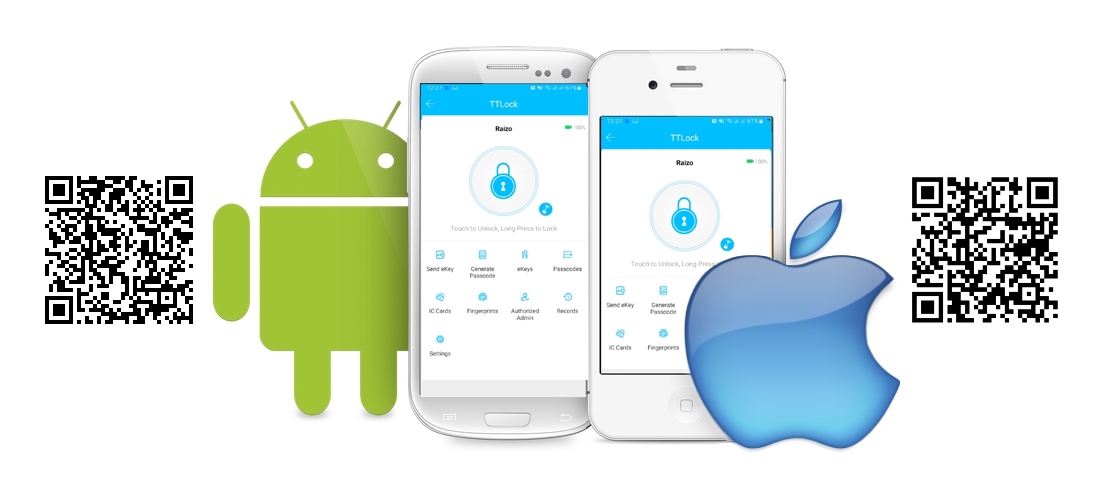
Basic features of the app for personal use and for small business projects are offered in the free version of the app, a more advanced version with additional advanced features is offered in the paid version.
Use promo code "49073518" and get 3 months free access to advanced functions. If you want to pay for this service from your company's bank account - write to us, we will send you an invoice.
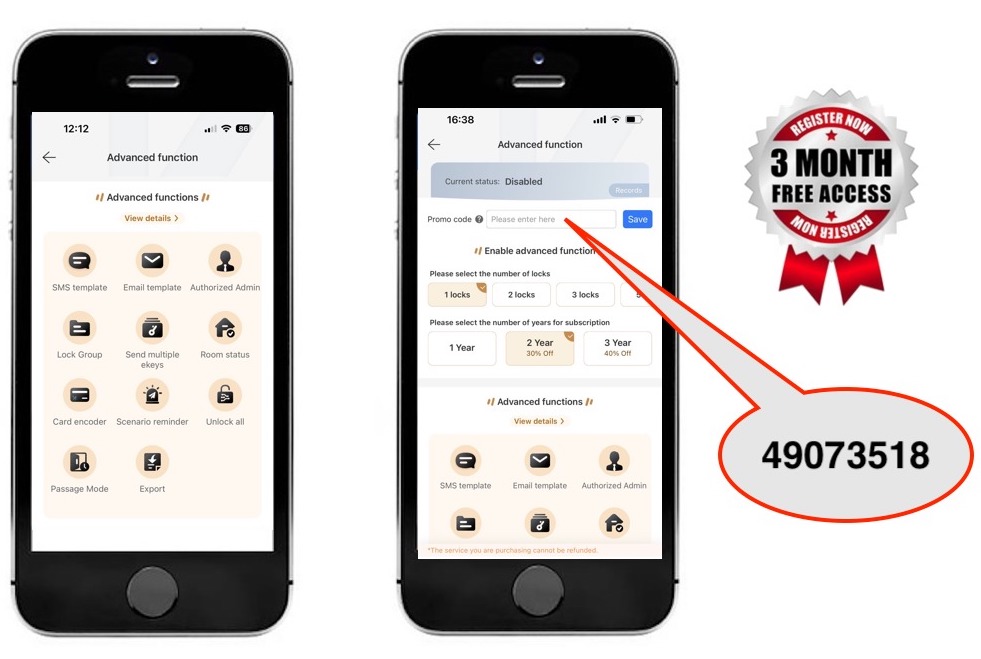

You can customize the content of the text message or email to send passcode or ekey information to others, such as:

You can customize the content of the text message or email to send passcode or ekey information to others, such as:
You can authorize someone to manage locks in batches and centrally manage authorization administrators for different locks.

You can authorize someone to manage locks in batches and centrally manage authorization administrators for different locks.

You can group locks and centrally manage group information.

You can send multiple ekeys to multiple people simultaneously.

After sending ekeys or generating passcodes, you can mark vacant rooms as occupied.

By enabling the hotel card encoder function, you can write building and floor information to the locks and quickly issue cards through the Windows software.

Message reminders for various scenarios, supporting three notification methods: App push, SMS, and email. Scenarios include:

Using the unlock all feature, you can sequentially unlock connected locks, saving time for users with multiple locks. Suitable for management scenarios like end-of-month inventory.

You can add multiple time periods for passage mode. Within the set time periods, the lock will remain in an open state once it is unlocked.

Important data of the lock supports batch export, saving the time of querying multiple lock users.
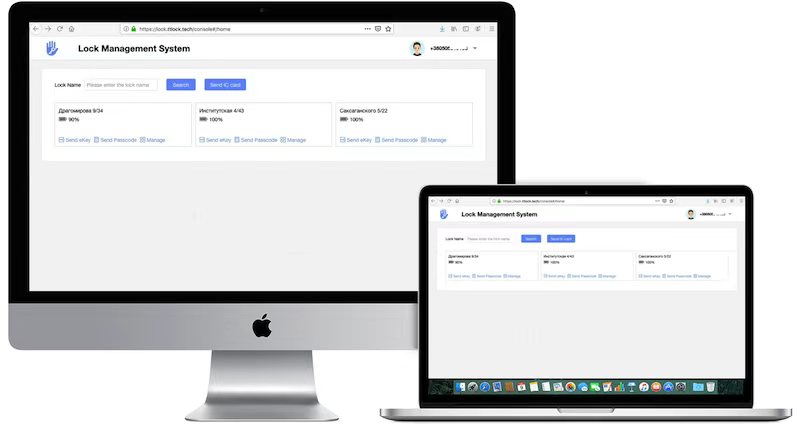
For all our users, we provide a free web-cabinet duplicating the APP TTLOCK for the administration of smart locks and doing business with the use of these locks. This solution greatly simplifies the work of administering a large number of locks, for example for rental apartments.... ACCESS FOR LOCK ADMINISTRATORS: http://www.iwintec.com
TTLOCK locks have several types of user identification: password (access code), IC card ( MIFARE\NFC standard contactless card), eKey (electronic key). Some locks may have fingerprint access, FACE-ID, support for radio remote controls and other important features...
Important: All types of digital keys can be used by one user!!!
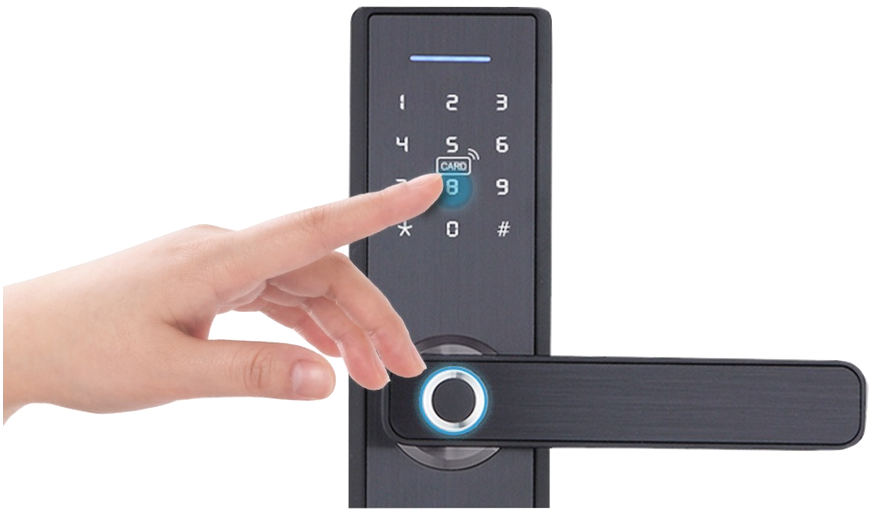 Password access can be programmed to work as follows:
- Permanent ( password will work forever );
- Timed ( password will be active during the time interval you set );
- One-time ( the guest will be able to open the lock with this password only once, after that
the password will become
inactive );
- Clearing (removes all access codes when you enter them);
- Customizable (if you are in a Bluetooth connection with the lock or connected via a gateway,
you can set a personal
password of 4 to 9 digits for each user for a specified period of use);
- Recurring (grants the right of access at certain times on certain days).
Passwords can only be generated on the administrator's smartphone! Transmission of the generated
password to the host
can be done via SMS, email, messenger or even dictate the password by voice.
Password access can be programmed to work as follows:
- Permanent ( password will work forever );
- Timed ( password will be active during the time interval you set );
- One-time ( the guest will be able to open the lock with this password only once, after that
the password will become
inactive );
- Clearing (removes all access codes when you enter them);
- Customizable (if you are in a Bluetooth connection with the lock or connected via a gateway,
you can set a personal
password of 4 to 9 digits for each user for a specified period of use);
- Recurring (grants the right of access at certain times on certain days).
Passwords can only be generated on the administrator's smartphone! Transmission of the generated
password to the host
can be done via SMS, email, messenger or even dictate the password by voice.
Important:To open the lock after typing the password, press the lower right button of the lock #
Important:To terminate personal access codes ahead of time, you must be near the lock (in a Bluetooth connection with it) or need connected lock to internet via the gateway.
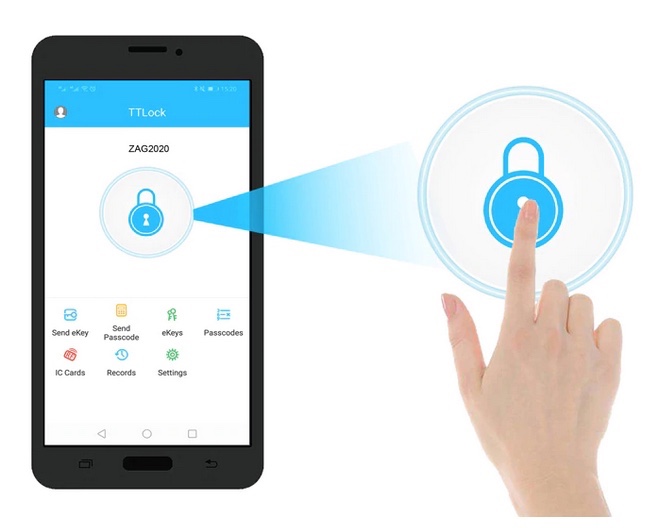 eKey ( smartphone unlock ) can be programmed to work in the following ways:
- Permanent ( eKey will work always).
- Timed ( eKey will be active during the time interval you set ).
- One-time (for one-time use).
- Recurring (grants the right of access at certain times on certain days, which is convenient for limiting personnel
access).
To transfer an electronic key, Internet access is required for both the transmitting and receiving people. In addition,
each people must have the TTLock application installed..
eKey ( smartphone unlock ) can be programmed to work in the following ways:
- Permanent ( eKey will work always).
- Timed ( eKey will be active during the time interval you set ).
- One-time (for one-time use).
- Recurring (grants the right of access at certain times on certain days, which is convenient for limiting personnel
access).
To transfer an electronic key, Internet access is required for both the transmitting and receiving people. In addition,
each people must have the TTLock application installed..
Important:You can transfer the eKey with administrator rights.
Important:You can freeze or delete eKey (terminate access rights) remotely from the Internet.
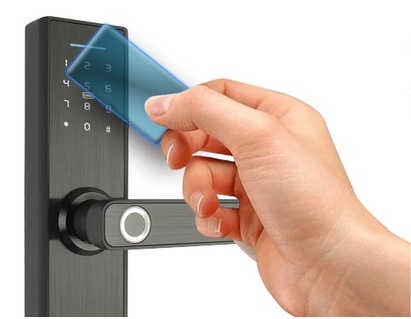 Contactless IC cards ( MIFARE/NFC 13.56mhz ) can be programmed to work as follows:
- Permanent ( card will work forever);
- Timed ( card will be active during the time interval you set);
- Recurring ( the card will open the lock at a set time on certain days );
Important: When you add a card in the lock memory you always specify the name of the user, which later makes it easier
to view events and remove cards from the lock memory.
IC-card is programmed both with administrator's smartphone by putting the card to the reader of the lock, and with the
encoder, remotely (via web-cabinet), if the lock is connected to the Internet through the gateway.
Contactless IC cards ( MIFARE/NFC 13.56mhz ) can be programmed to work as follows:
- Permanent ( card will work forever);
- Timed ( card will be active during the time interval you set);
- Recurring ( the card will open the lock at a set time on certain days );
Important: When you add a card in the lock memory you always specify the name of the user, which later makes it easier
to view events and remove cards from the lock memory.
IC-card is programmed both with administrator's smartphone by putting the card to the reader of the lock, and with the
encoder, remotely (via web-cabinet), if the lock is connected to the Internet through the gateway.
Important! The IC-card can be terminated prematurely only when you are near the lock (in Bluetooth-connection with the lock) or remotely if the lock is connected to the gateway.
In the "record" menu, you can find who, how and when open the lock. The information is updated when the lock and your smartphone are Bluetooth-connected or transmitted online if lock use gateway.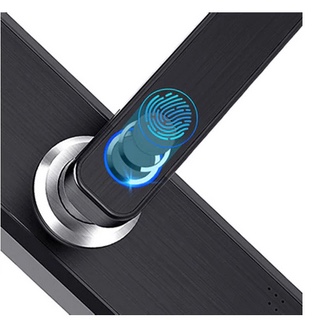
Many models of TTLOCK locks feature a fingerprint sensor. Thanks to the patented scanning technology, the reading speed and the lock response to opening is only 0.3 sec !
The fingerprint is programmed identically to contactless access cards via an application on the administrator's smartphone. This allows 4 identifiers per user - Fingerprint / Code / Card / Application - to be entered simultaneously, making TTLOCK the most versatile lock on the market.
Every time you make changes to the locks settings, the devices synchronize with the cloud and store a copy of your lock there (everything except the fingerprint image).
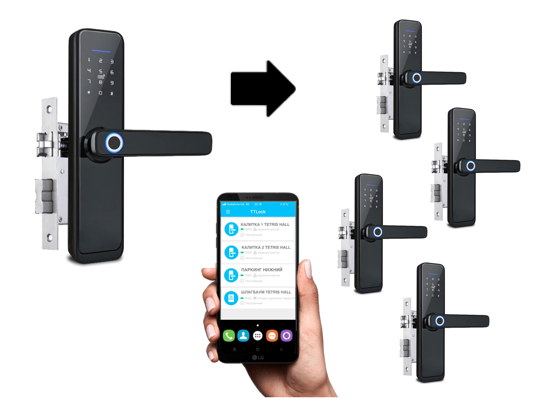
Thanks to this important feature you will always be able to quickly restore access control at the point of passage, if for some reason the lock is broken or an intruder ripped off the controller from the door. This function is also useful for those who create ACS with several access points, which work with one user database - you just program one lock, and all the other locks synchronize with it.
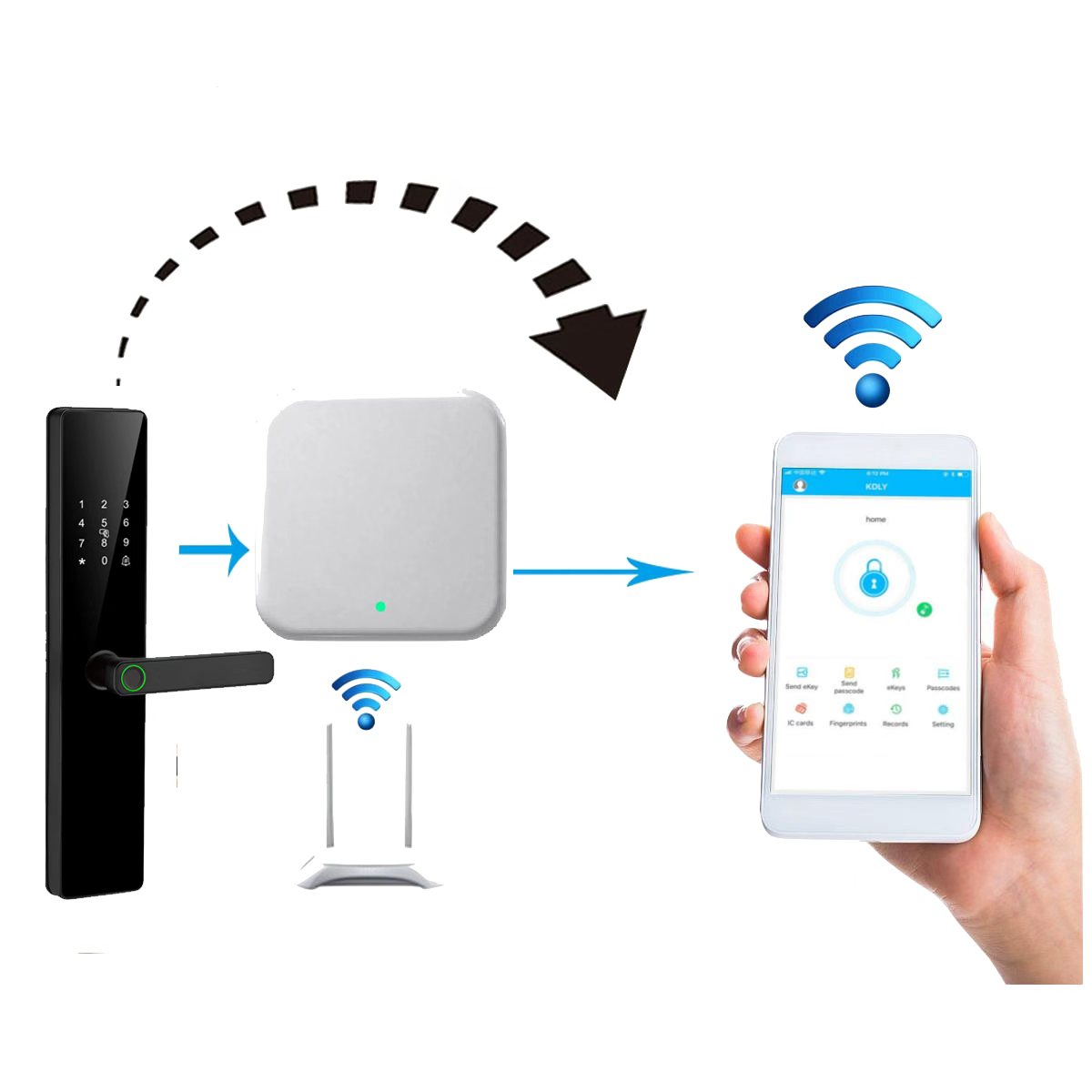
With a net gateway connected to the Internet, you can get a continuous connection of smart locks with your smartphone. Thus, the functions of the locks available only during the Bluetooth contact of the lock with your phone (deleting cards and passwords, self-assignment of passwords, reading records) will be available to you online anywhere there is internet on your smartphone!

